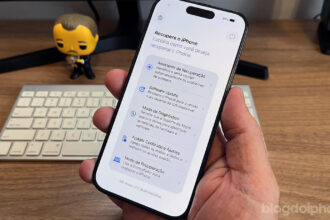
Apple released iOS 27 beta 5 for developers on Monday, August 10. There aren’t any major hidden features in this release, but that doesn’t mean there aren’t some interesting changes. In fact, this fifth beta gives us a pretty good idea of where iOS 27 is in its development cycle.
Most of the major features are already in place, and Apple is now focusing on the kinds of details you tend to notice only after using the system every day.
There are new icons, subtle Liquid Glass tweaks, changes to Search, Siri AI improvements, and even a clearer way to find out when poor cellular reception is draining your iPhone’s battery.
Visual changes
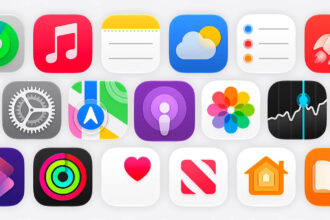
Safari, Siri, Settings, Remote, the App Store, and Preview have all received visual tweaks that follow the Liquid Glass design language.
With some of them, you really have to look closely to notice the difference. With others, the change is much more obvious.
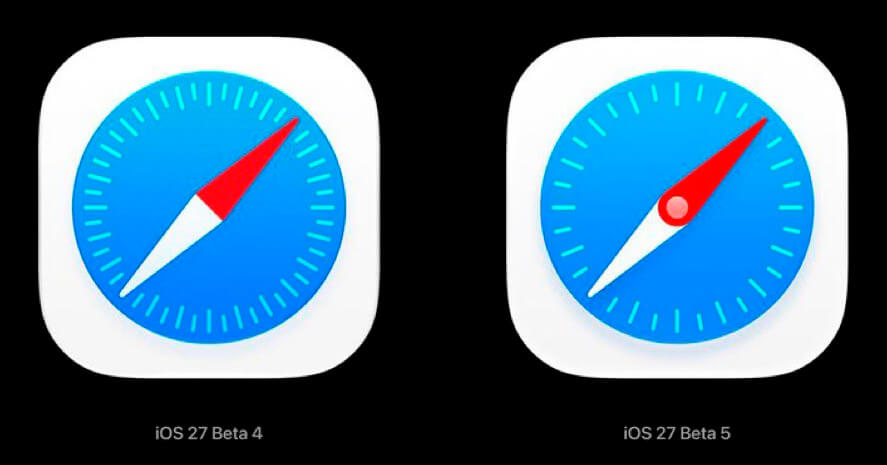
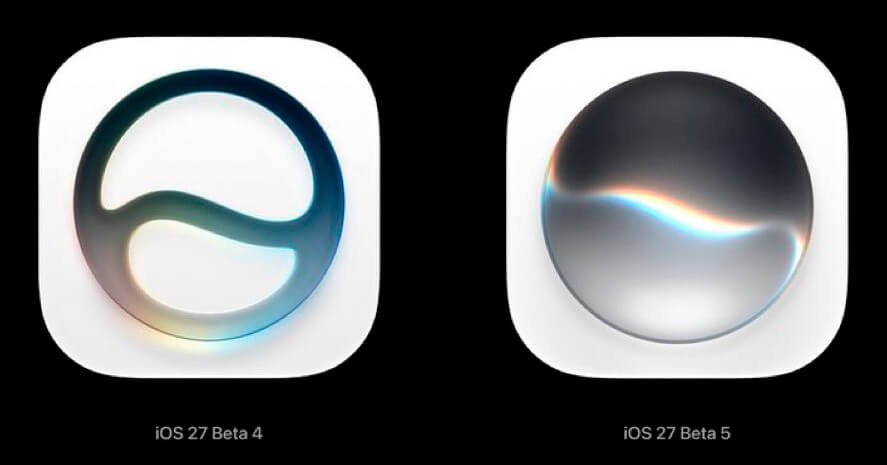
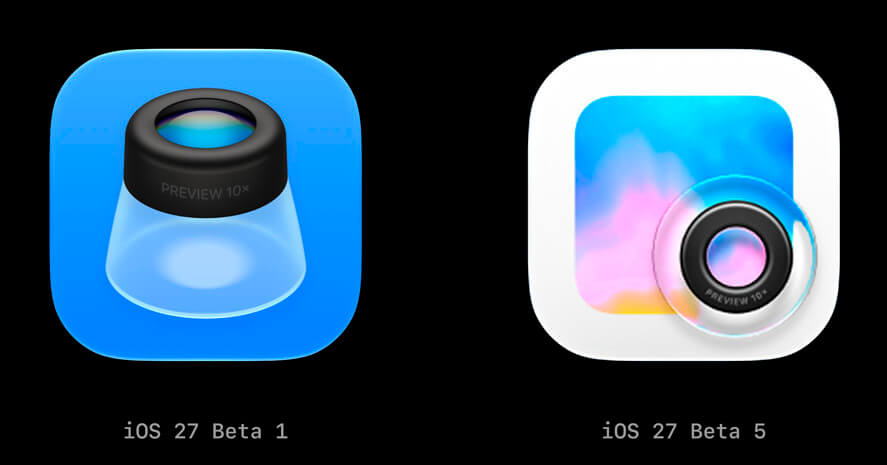
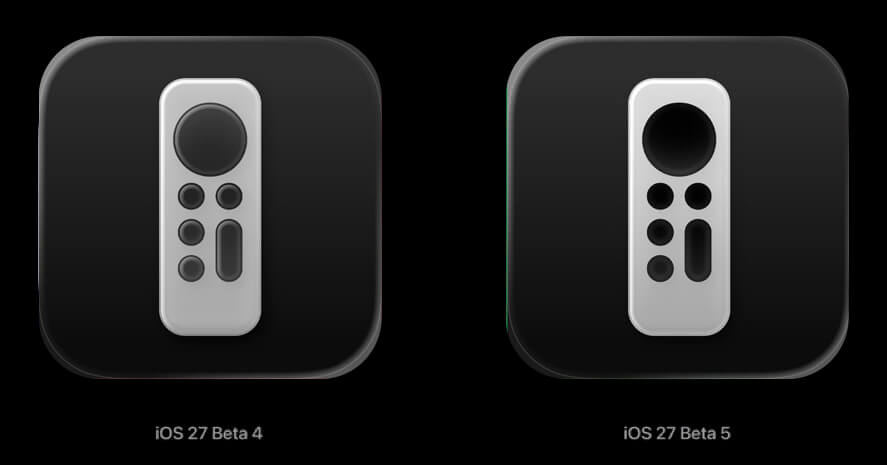
This also shows that Apple is still fine-tuning the visual identity of iOS 27.
Even after several beta releases, important parts of the interface are still being redesigned as the company works toward what it considers the ideal result.
And we’ll probably see a few more small changes before the final release.
Liquid Glass is even more transparent
Liquid Glass is still changing too.
In beta 5, the more transparent interface option has become even more translucent compared with the previous version.
It may sound like a minor detail, but this has actually been one of the areas Apple has adjusted the most since introducing the new design.
There’s a delicate balance here. The more transparent the effect becomes, the more visually impressive it can look. But too much transparency can also make text harder to read depending on the image or content behind it.
That’s probably why Apple is still experimenting with how far it can push the effect without hurting usability.
Siri AI gets more voice customization options
There are also some changes to Siri AI.
Apple has expanded the options for changing the way the assistant speaks. You can now adjust characteristics such as speaking rate and expressiveness across all seven available U.S. English voices and the four British English options.
In practice, you can make Siri speak faster or slower and also change the way certain responses are delivered.
There is, however, one important limitation.
According to MacRumors, this processing happens directly on the device and, at least for now, the customization options are available only on the iPhone 17 Pro, iPhone 17 Pro Max, and iPhone Air.
It’s also worth remembering that the new Siri will initially be limited to U.S. English.
iPhone Search is more customizable
Search also received some extra attention in this beta.
You can now decide whether apps should appear in search results at all and, if you keep the option enabled, choose whether to show four or eight apps.
There’s also a separate setting for displaying app shortcuts.
Another small change appears when you reach the bottom of the results. The system now gives you an option to continue the same search directly on the web.
Even the animation has been changed.
Suggestions now appear together with the search bar instead of showing up a moment later. It’s the kind of change that probably wouldn’t make anyone’s list of major update highlights, but it does make the interface feel faster and more natural.
Contacts finally shows a person’s company
This one is small, but it could be very useful for anyone who keeps a lot of professional contacts on their iPhone.
If a person has a company associated with their contact card, the company name now appears directly below the contact, both in the main list and in search results.
So if you have several people with similar names, or simply can’t remember where you know someone from, you no longer have to open their contact card to find out.
It’s one of those simple improvements that makes you wonder why it wasn’t there already.
Create a Pass in Wallet is expanding to more countries
The Wallet app has also gained a new improvement.
The Create a Pass feature, which was initially available in the United States, has started appearing for users in other countries with this fifth beta.
The feature lets you create passes for Wallet from compatible information, expanding what the app can store beyond the cards and documents Apple officially supports.
For now, it’s still unclear exactly which countries have received the feature during this testing phase.
Control Center hides some cellular network information
Not every change will necessarily be seen as an improvement.
In beta 5, when the iPhone is connected to Wi-Fi, Control Center no longer displays some information about the cellular connection.
Previously, you could still see this information while Wi-Fi was active. That made it easy, for example, to quickly check which cellular network was available in case the Wi-Fi connection dropped.
Apple appears to have decided to simplify the interface.
It may look cleaner, but people who relied on that information might prefer the previous behavior.
You can now see when an update was installed
Another new feature is hidden in a place most people probably don’t check very often.
If you go to Settings > General > About and check the installed software version, iOS 27 can now also show when that update was installed on the iPhone.
It’s a simple piece of information, but a useful one.
Imagine that your iPhone suddenly starts behaving strangely and you can’t remember exactly when you installed the latest update. It’s now much easier to figure out whether the two things could be related.
For technical support and troubleshooting, that information could also be very helpful.
iPhone now tells you when poor reception is draining your battery
One of the most useful changes in this beta may be found in the Battery section.
Anyone who has spent a lot of time somewhere with very weak cellular reception has probably noticed that their iPhone battery seems to drain much faster.
That happens because the phone has to work harder to maintain a connection with the cellular network.
Until now, however, the average user probably had no idea that this was the reason.
In iOS 27 beta 5, the Battery section can now indicate when a poor-quality cellular connection is causing additional power consumption.
In other words, instead of simply showing that the battery drained faster, the system also tries to explain why.
This kind of information is especially useful because it can keep users from immediately blaming an app or assuming there’s something wrong with the battery when the real culprit may simply be poor carrier coverage.
Mail gets more control over Smart Replies
The Mail app has also received a new setting related to smart replies.
Users can now decide whether they want to allow personalization of Smart Replies.
The option is disabled by default and can be turned on manually in Mail settings.
It’s another small control Apple is giving users over how the system’s intelligent features use the context of messages to generate suggested replies.
There are more small tweaks throughout the system
Beta 5 also includes several smaller changes.
The Clock app, for example, now uses a heavier font in areas such as alarms and timers.
Photos, Wallet, and Music also now display introductory screens the first time they are opened after the update, highlighting some of the new features available in iOS 27.
None of this radically changes the overall experience.
But at this stage of development, that’s exactly what we should expect.
iOS 27 is starting to take its final shape
If there’s one thing this fifth beta makes clear, it’s that iOS 27 is entering the final polishing stage.
We’re no longer seeing major new features appear with every release. Apple is now tweaking icons, transparency effects, animations, menus, and smaller features to make the system feel more consistent before putting it in the hands of millions of users.
That doesn’t mean an important new feature couldn’t still appear before launch. But the closer we get to the final release, the more Apple’s attention tends to shift toward stability, performance, and bug fixes.
And at this point, that may actually be the best news.
After months of following new features and constant changes, it’s time for Apple to turn all of this into a system that’s truly ready for everyday use.